
By default, WooCommerce lacks options to modify product quantities or remove items directly on the checkout page. However, customers can easily adjust product quantities on the checkout page by utilizing the “Change Quantity on Checkout Pro for WooCommerce” plugin. Additionally, customers can remove individual items on the WooCommerce Checkout Blocks screen.
To add the Quantity field on the WooCommerce checkout block, you must have the Change Quantity on Checkout Pro for WooCommerce plugin installed and activated
Once the plugin is enabled, navigate to the plugin settings “CQOCP” and activate the “Add Quantity Field on Checkout Block” setting. Once this setting is enabled, a new order summary section is created on the checkout page, featuring the Quantity field and product remove link.
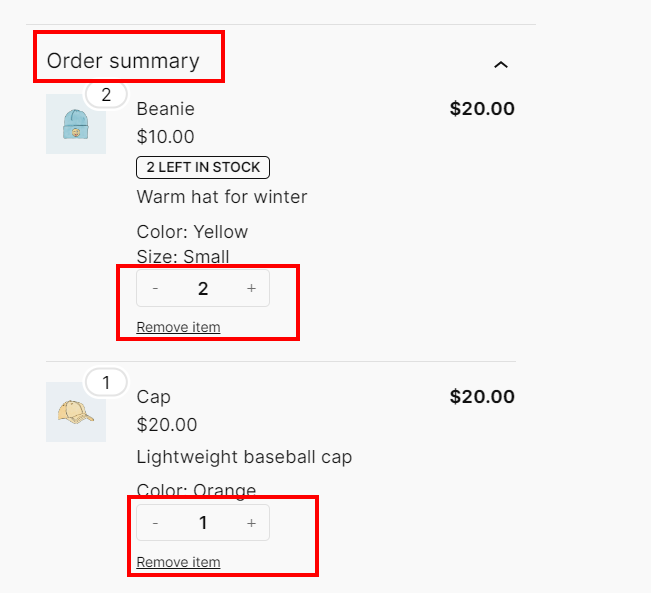
Now, you’ll see two Order summary blocks on the page, but we only require the “Order Summary” block from the “Change Quantity on Checkout Pro for WooCommerce” plugin.
To achieve this, select the Order Summary block of WooCommerce. Then, navigate to the right sidebar, choose “Block“, proceed to “Advanced“, and input the custom class name “cqocp-hide” under “ADDITIONAL CSS CLASSES“. Finally, click on the Update button.
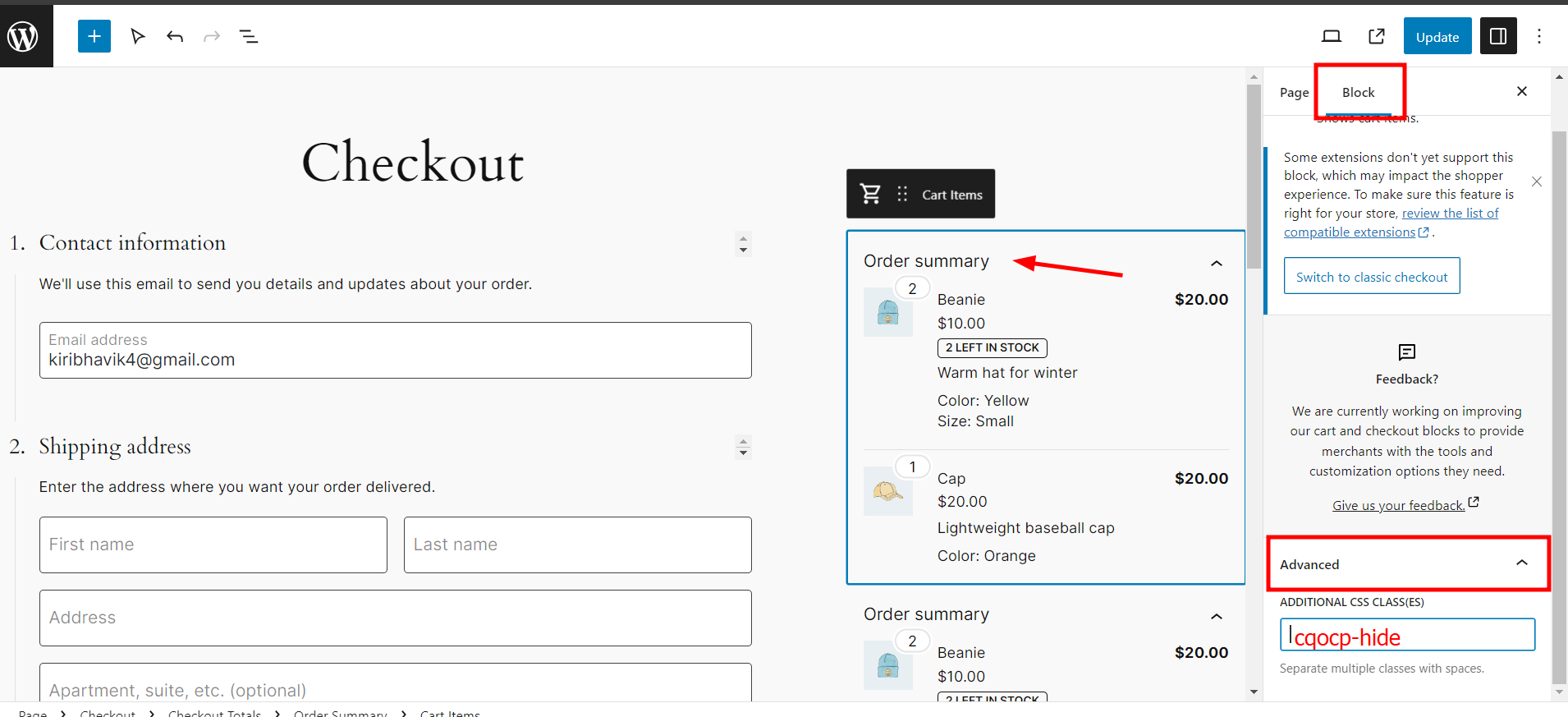
CQOCP-Hide
After adding the class and updating the page, you’ll observe that the Order summary block from WooCommerce is hidden, while the one from the plugin remains visible.
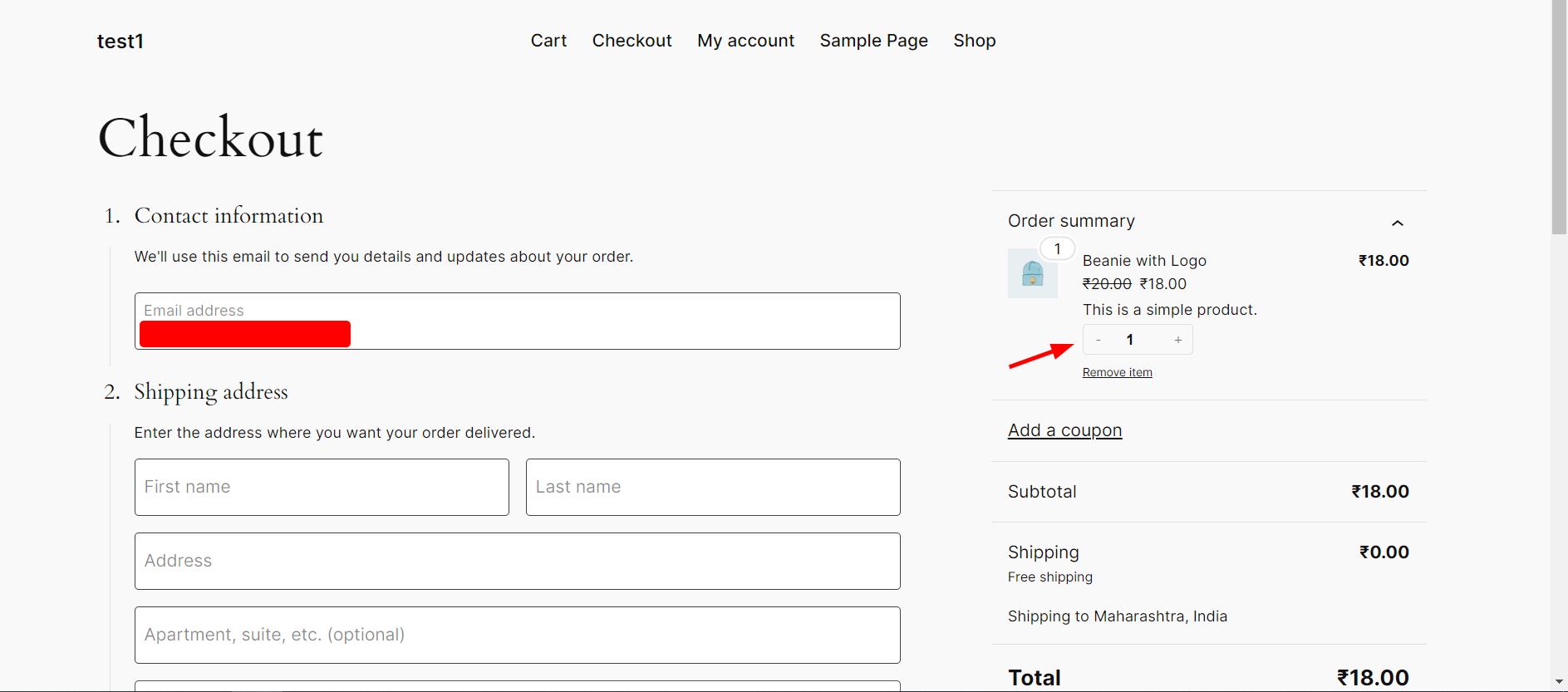
Upon checking the front-end, you’ll notice that the checkout page now displays the Order summary block from this plugin, featuring the Quantity field and the delete product link.
If you require any assistance, please feel free to reach out to me. I am available to help you out anytime, and I would be happy to assist you.
We have installed plugin, it functions properly. We have changed the display order of the summary block to display it on top of the order summary, it displays at the end of summary block. how can we correct it?
Dear Jalpa,
This behavior might be due to the theme’s structure and how it fetches and displays content. However, we can address it with CSS adjustments to reposition the block at the top.
If you’d like me to take a look, please share the website URL using the Contact Us form. This will allow you to share the details securely.